AI Writer — Write Better. Sound Human.
AI Writer is an AI paraphrasing tool, AI humanizer, and grammar checker in one app — paraphrase in 6 tones, translate 30+ languages, detect AI content, and solve academic problems from photos. Available on iOS and Android.
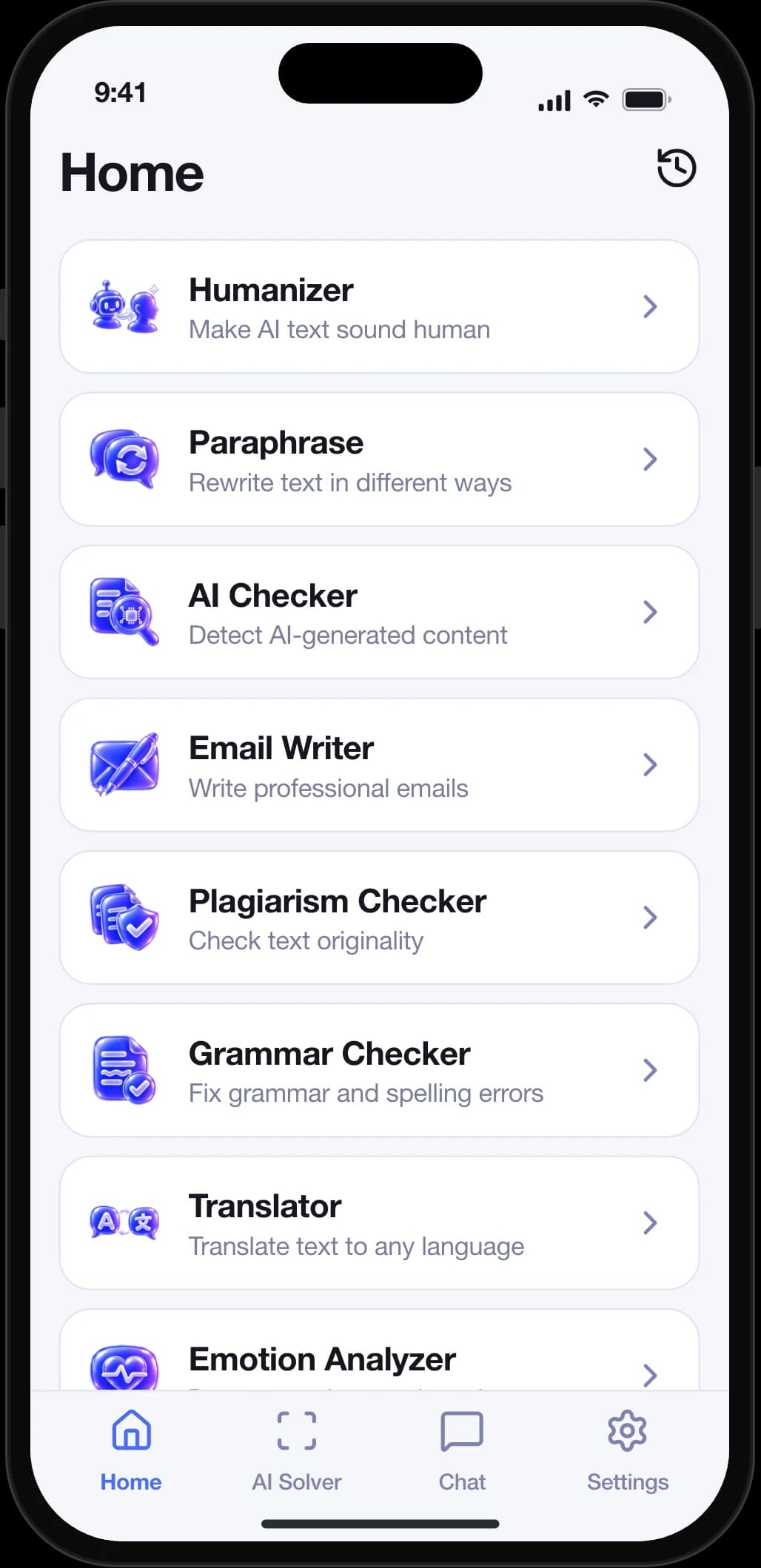
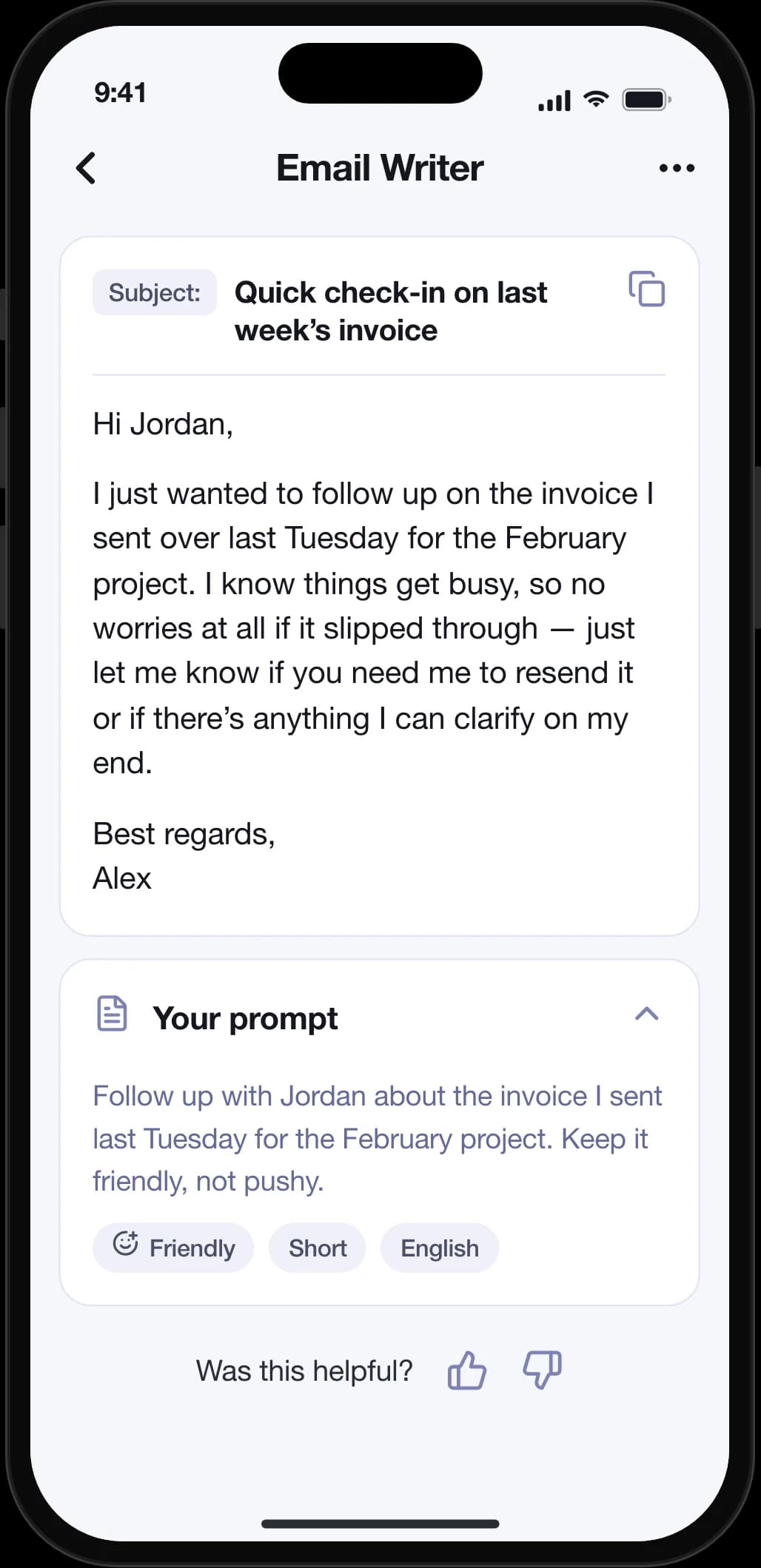
10 AI Writing Tools in One App
AI Writer gives students, writers, and professionals every tool they need to write better, faster, and more naturally — powered by Google Gemini.
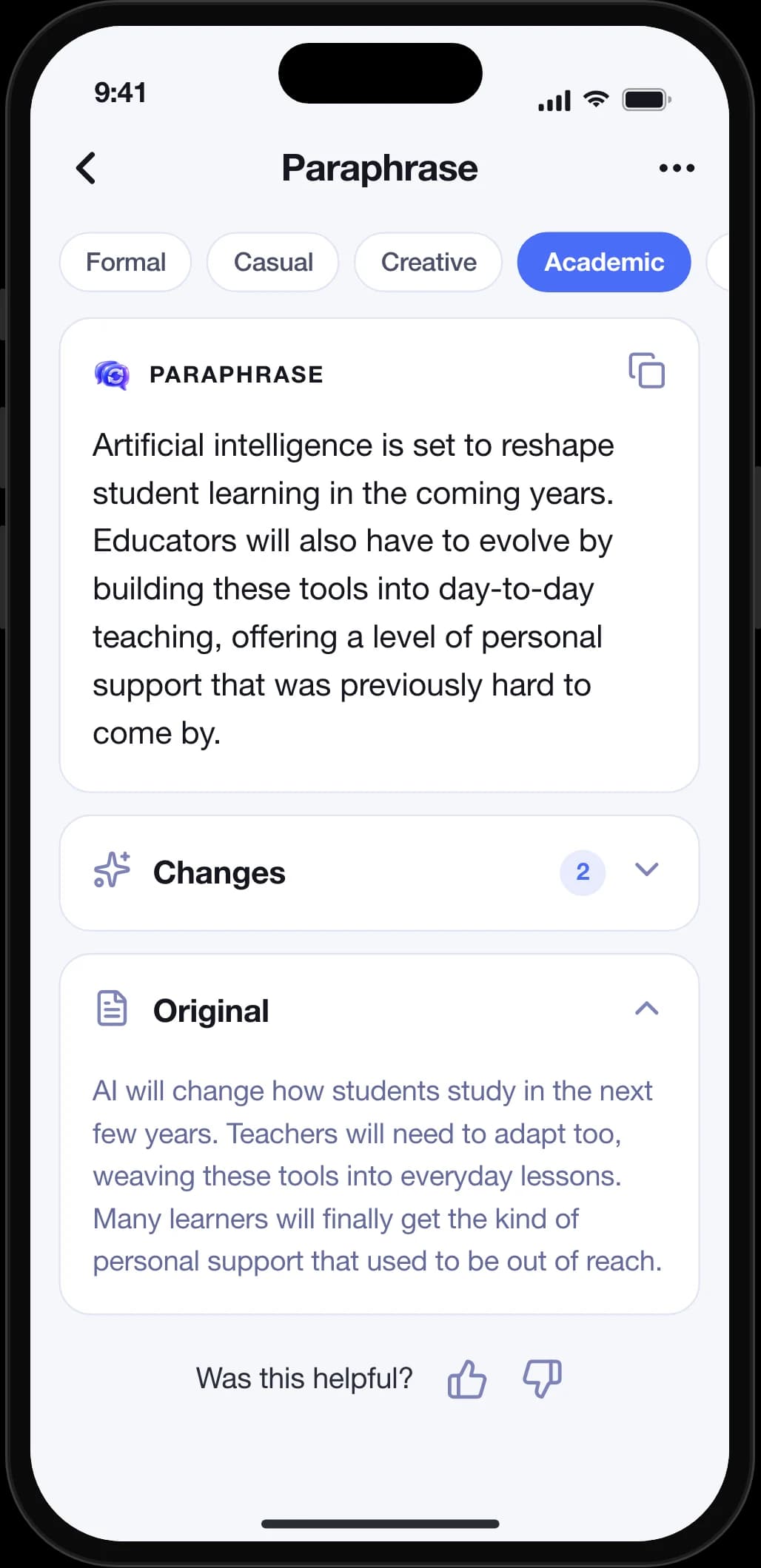
Paraphrase in 6 Tones
AI Writer's AI paraphrasing tool rewrites any text in formal, casual, creative, academic, simple, or professional tone so users always match the right voice for their audience.
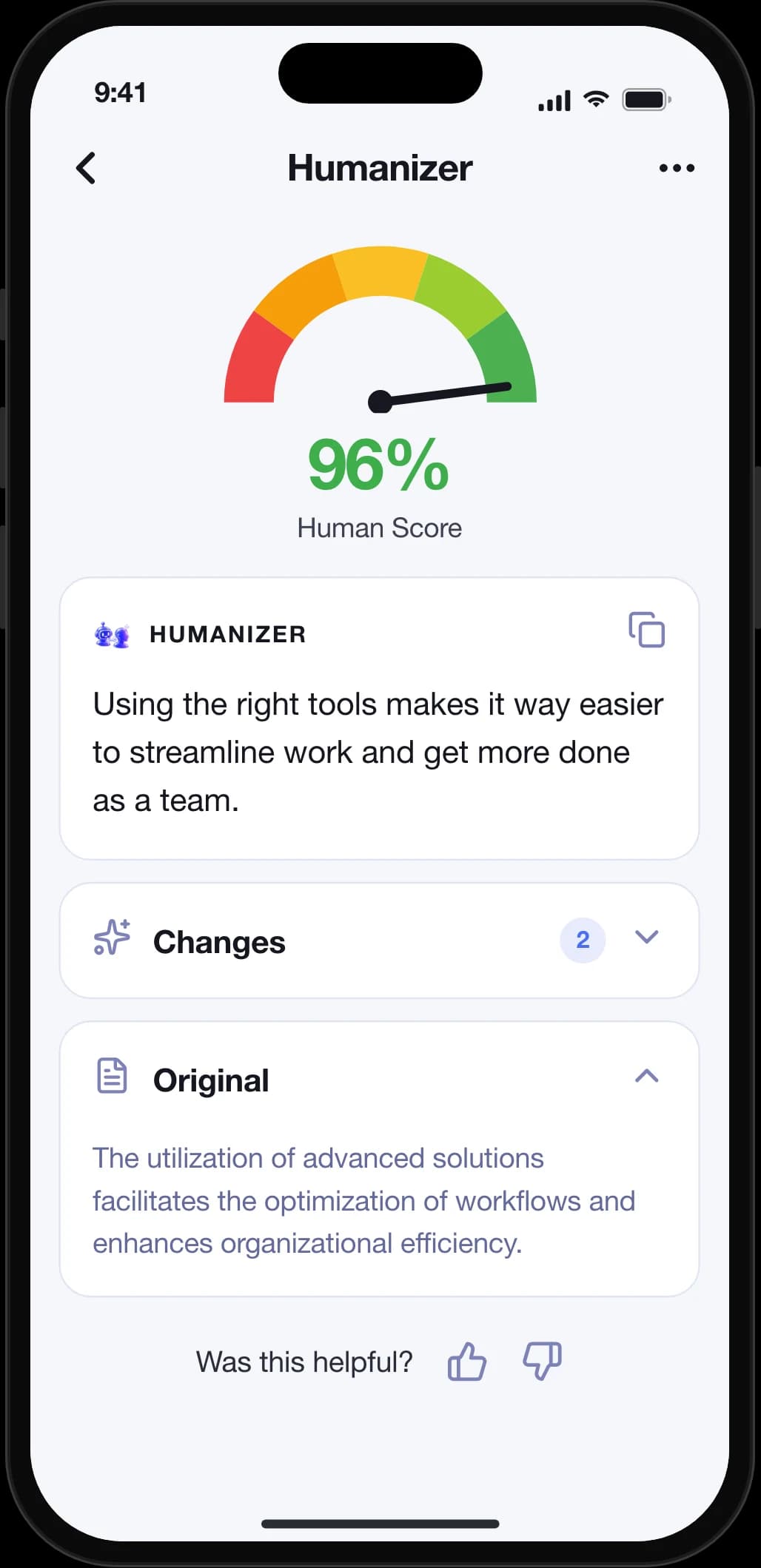
Humanize AI Text
The built-in AI humanizer rewrites stiff, robotic AI output into natural, human-sounding prose — useful for polishing your own drafts before you hit send.
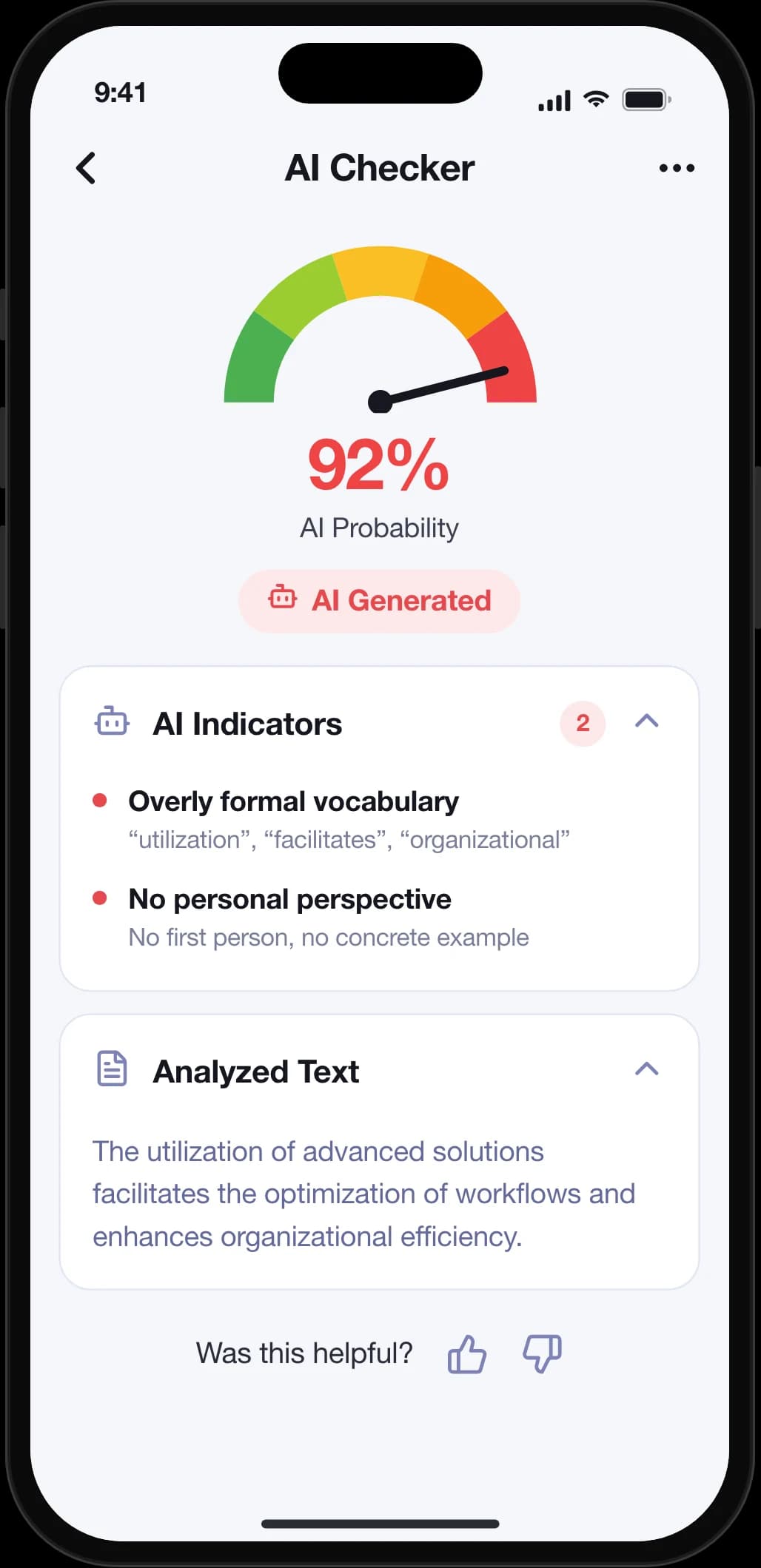
Detect AI Content
AI Writer's AI Content Detector analyzes any passage and returns a probability score showing how likely the text was written by AI.
Summarize Long Texts
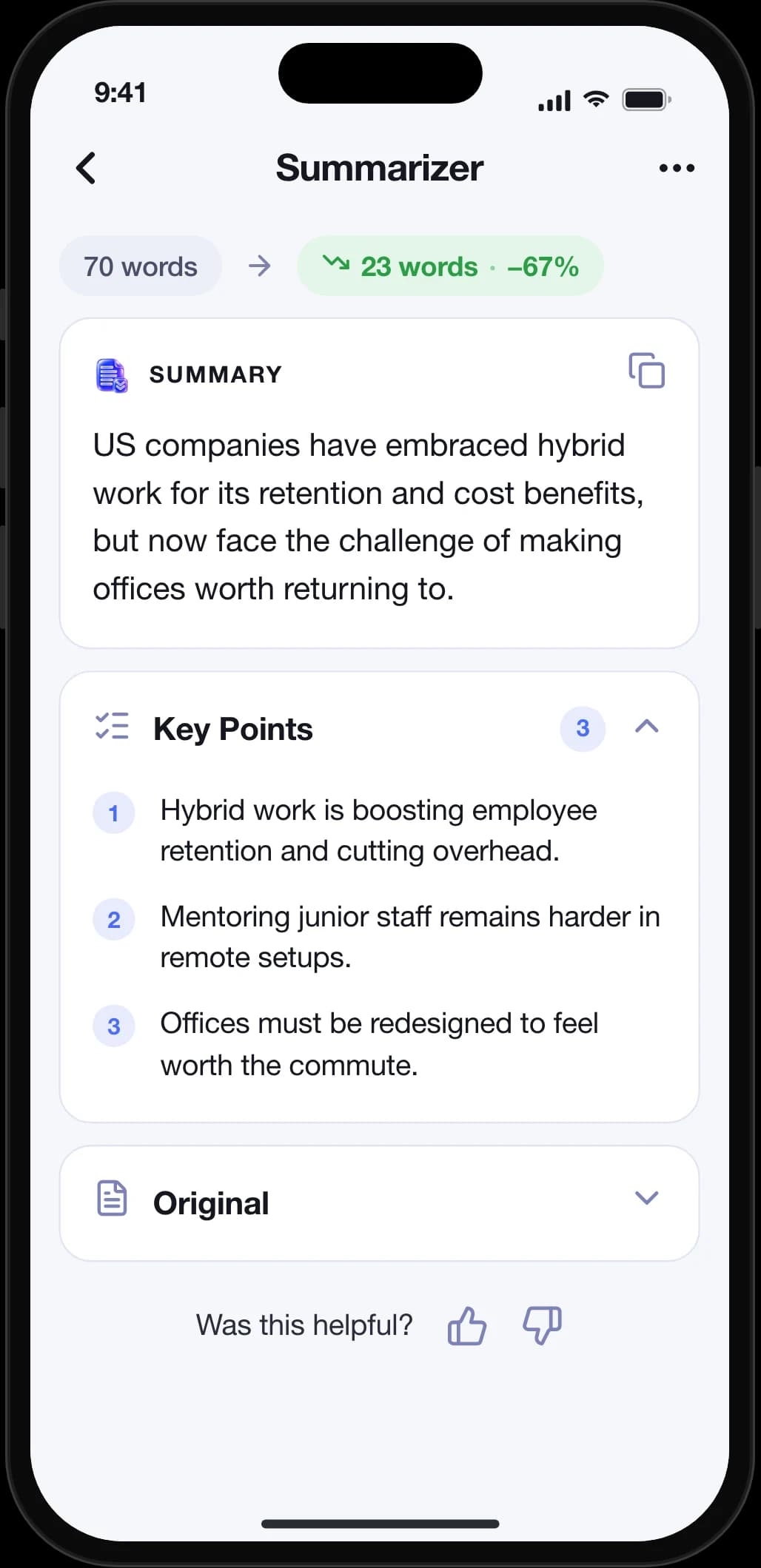
AI Writer's Summarizer condenses long articles and documents into concise summaries with extracted key points, saving users hours of reading time.
Fix Grammar Instantly
AI Writer's grammar checker detects spelling, punctuation, and style errors in real time and delivers corrected text users can copy with one tap.
Translate 30+ Languages
AI Writer translates text between more than 30 languages with automatic source-language detection, letting users communicate across language barriers instantly.
Solve Problems from Photos
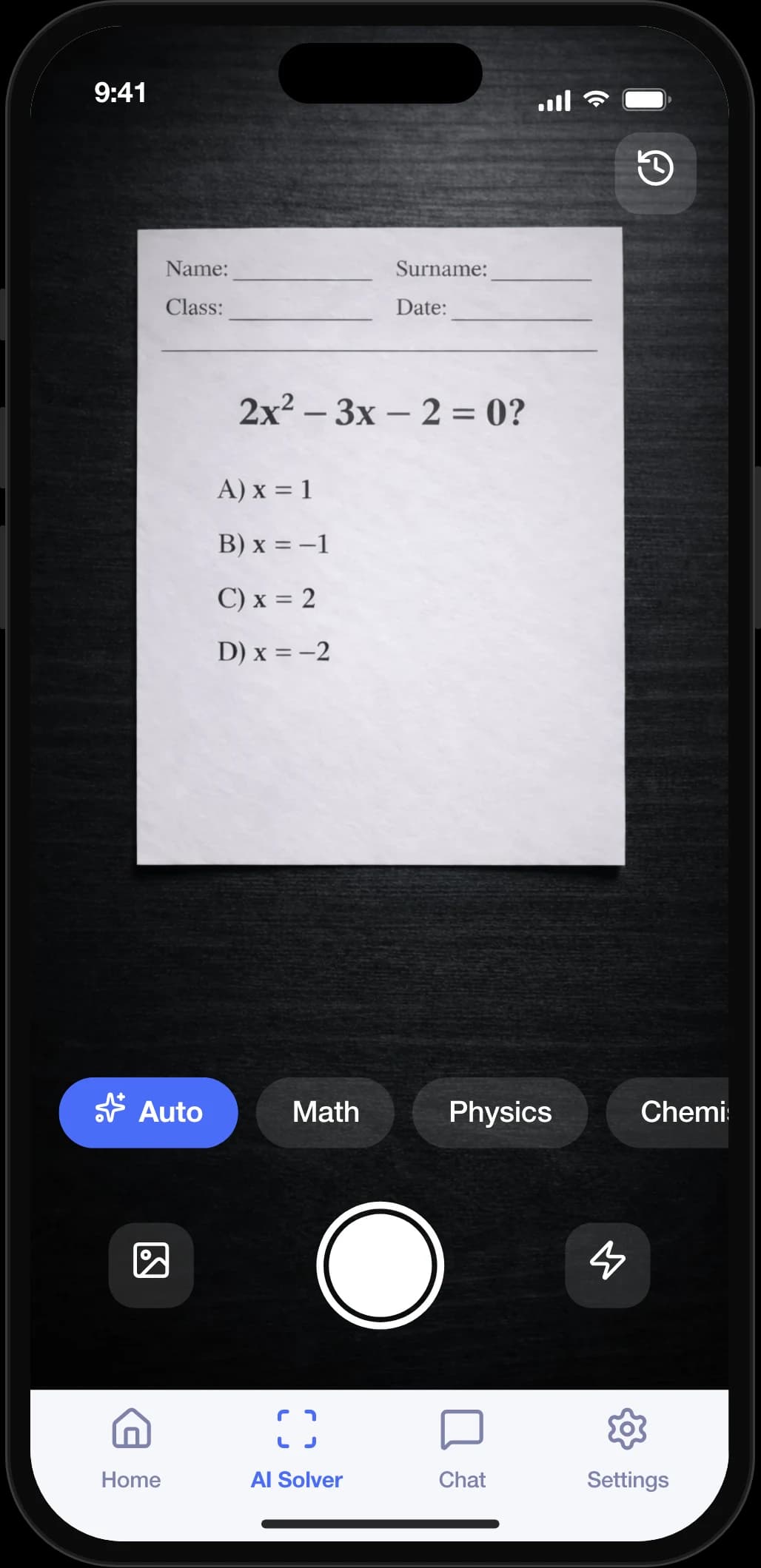
AI Writer's AI Solver lets users photograph math, physics, chemistry, or any academic problem and receive step-by-step solutions powered by Google Gemini.
Chat with AI Assistant
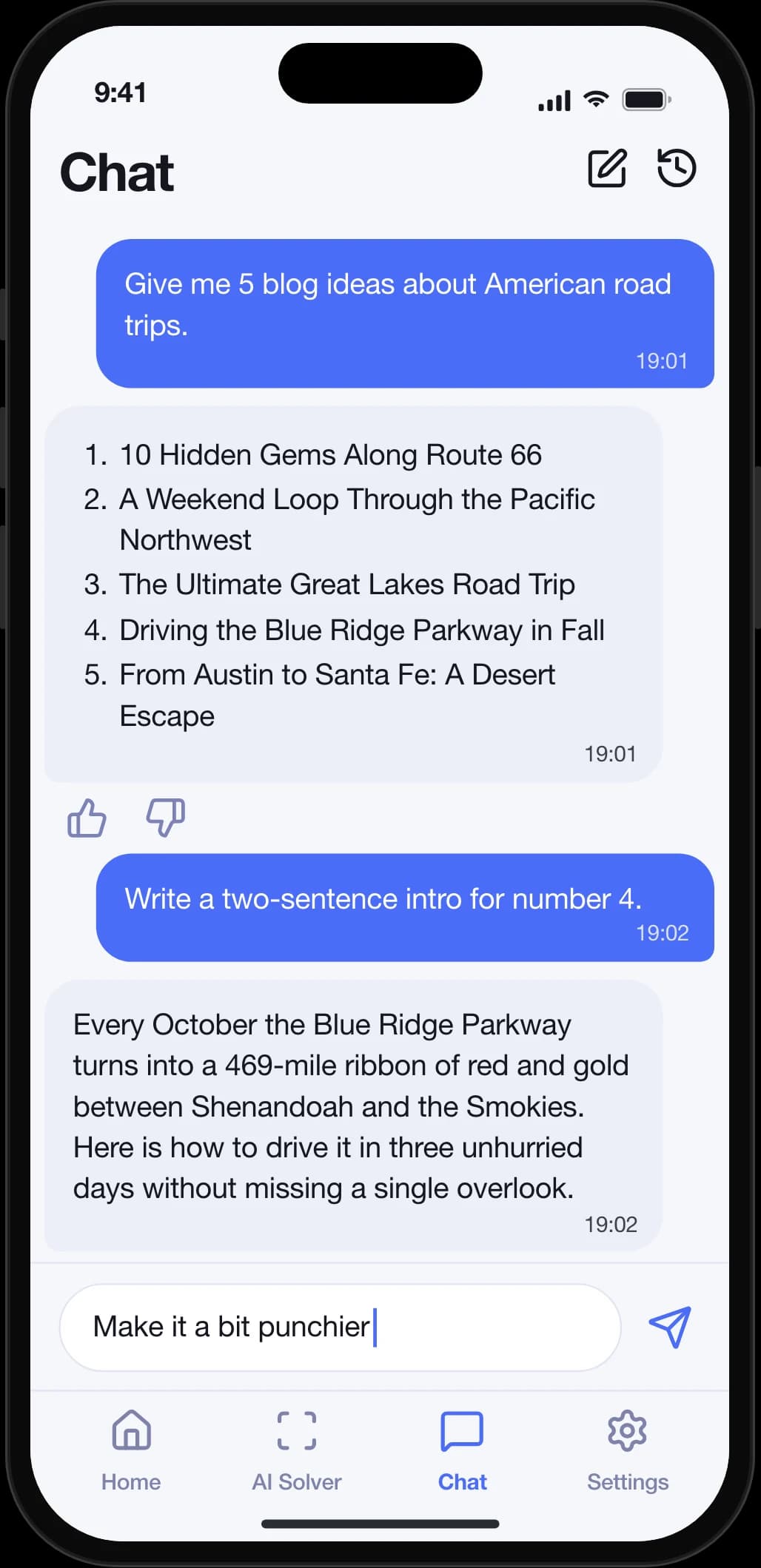
AI Writer includes a built-in AI Chat Assistant for real-time conversational writing help, brainstorming, and on-the-fly text generation.
See It in Action
Take a closer look at AI Writer across every platform.
Get Started in 3 Simple Steps
- 1
Choose a Tool
Pick from 10 AI writing tools on the home screen — Paraphrase, Grammar Check, Translate, Humanize, Summarize, AI Solver, and more.
- 2
Enter or Capture Your Text
Type, paste text, or snap a photo of a problem. Then select options like tone, target language, or academic subject.
- 3
Get Instant Results
AI Writer processes your request in seconds and delivers polished output you can copy, share, or save to your local history.
What is AI Writer?
AI Writer is an all-in-one AI writing toolkit for iOS and Android that combines 10 tools — paraphrasing in 6 tones, grammar checking, translation across 40+ languages, AI text humanizing, AI content detection, summarizing, plagiarism checking, sentiment analysis, email writing, and photo-based academic problem solving. It is powered by Google Gemini and supports 40+ languages across both its interface and tools.
Is AI Writer free to use?
AI Writer offers a free tier with limited daily usage. For unlimited access to all 10 tools, users can subscribe to a weekly or annual premium plan managed through the App Store or Google Play.
What languages does AI Writer support?
Both AI Writer's interface and its writing tools support 40+ languages, so users can work in their preferred language and translate, paraphrase, or summarize text across dozens of others.
How does the AI Solver work?
Users take a photo of any academic problem — math, physics, chemistry, biology, history, or more — and AI Writer uses Google Gemini's vision capabilities to analyze the image and return a detailed, step-by-step solution.
Is my data safe with AI Writer?
AI Writer processes text through Google's Generative AI servers but does not permanently store your input text or results on remote servers. Writing history is saved locally on your device only, and photos captured for AI Solver are processed temporarily and not retained.
Can AI Writer humanize AI-generated text?
Yes. AI Writer's Humanizer tool specifically rewrites AI-generated text to sound more natural and human-like, helping users produce content that reads authentically and passes common AI detection tools.
Ready to Write Better?
Upgrade your writing with AI Writer. Download now and start paraphrasing, translating, and solving in seconds.